 ClassMori
Teaching articles
Classroom Noise Monitor Guide: 4 Voice Levels and 12 Quiet Scripts

A visual classroom noise monitor works best when paired with a concrete 0-to-3 voice level chart, a 60-second microphone calibration, and 30-second transition scripts so students self-regulate. Put those three pieces together on your projector, and K-6 homerooms and specials classes can shift smoothly between lively STEM labs and silent independent reading without you straining your vocal cords.
Most elementary rooms get loud during math stations or art cleanup not because kids want to misbehave, but because eight-year-olds lack an internal speedometer for their own volume. Without a shared visual reference, each table speaks slightly louder to hear itself over the table next door until the whole room hits cafeteria decibels in three minutes flat.
Why Shouting 'Quiet Down' Backfires — and How Visual Cues Help
Raising your voice over a chatty room reliably makes the room louder within two minutes due to an acoustic reflex known as the Lombard effect: speakers automatically increase vocal effort and pitch in noisy surroundings so they can hear their own feedback. When Table 1 raises its volume over Table 2 and the teacher projects over both, twenty-eight voices ratchet upward together.
Background chatter hits elementary learners far harder than adults realize. Reviewing pediatric acoustics research in Frontiers in Psychology, Klatte, Bergstrom, and Lachmann (2013) show that while adults use mature language networks to fill in words masked by noise, children's phonological working memory and auditory attention are still developing—making background speech especially disruptive to reading comprehension and multi-step directions. In controlled experiments across six Year 3 classrooms (158 children), Dockrell and Shield (2006) likewise found that classroom babble significantly depressed literacy and verbal task accuracy, while combined babble and environmental noise slowed processing speed across the board.
Clinical standards from the American Speech-Language-Hearing Association (ASHA, 2023) recommend keeping unoccupied classroom background noise at or below 35 dBA and maintaining at least a +15 dB signal-to-noise ratio for the teacher's voice. Because HVAC fans, hallway traffic, and open windows already push baseline room hum upward, lowering student chatter visually protects both student comprehension and your throat.
The 0-to-3 Classroom Voice Level Chart Every Grade Can Follow
Telling second graders to "talk quietly" invites twenty-five different interpretations. Anchor your room to a 0-to-3 Voice Level Chart where each number maps to an unmistakable physical distance test. Practice all four levels for ten minutes during Week 1, then hold up 0, 1, 2, or 3 fingers before every transition.
| Voice Level | Classroom Activity | Physical Distance Check | Gauge Target Zone |
|---|---|---|---|
| Level 0: Silent Zone | Assessments, independent reading, teacher modeling | Lips closed; only pages turning and pencils writing | Low calm band (green) |
| Level 1: Partner Whisper | Turn-and-talk, partner math check, borrowing an eraser | Only your shoulder partner hears you—not across the aisle | Low-to-mid band |
| Level 2: Table Talk | 4-person STEM labs, centers, art material sharing | Everyone at your table pod hears clearly; neighboring pods do not | Steady mid band |
| Level 3: Presenter Voice | Morning Meeting share, read-aloud, debate speaker | One speaker at a time projecting clearly to the back row | Clear solo projection |
Adjust how you coach those four numbers across grade bands:
- Grades K–2: Pair numbers with woodland cues kids can picture—"0 Turtle in its shell, 1 Ant whisper, 2 Otter table huddle, 3 Owl on the branch"—and have students mirror the finger number in the air before starting.
- Grades 3–4: Small-group projects drift from Level 2 to Level 3 fast. Assign a rotating "Volume Captain" at each four-desk pod who gives a quiet two-finger tap on the table whenever neighbors across the aisle can hear their group.
- Grades 5–6: Skip cutesy chants and frame it around autonomy—for example, twelve minutes of solid Level 0 independent work unlocks the final eight minutes for Level 1 partner book swaps or quiet sketching.
Copy and print this anchor chart beside your whiteboard, or share it with specials teachers so kids hear identical terms in library, art, and homeroom:
Level 0 — Silent Focus: Voices off, eyes on your work; only pencils and turning pages make a sound.
Level 1 — Partner Whisper: Lean in so only one partner right beside you can hear—invisible across the aisle.
Level 2 — Table Teamwork: Heads in together; keep every word inside your own table group's space.
Level 3 — Presenter Voice: One speaker at a time standing tall so classmates in the back row hear clearly.
(Save cheering and playground voices for recess—step through the doorway and drop right back to Level 1!)
Calibrate a Free Classroom Noise Monitor in 60 Seconds (Plus 5 Tools Compared)
Once students know Levels 0 through 3, projecting a live classroom noise monitor turns invisible decibels into feedback kids can adjust on their own. Because ceiling heights, AC vents, and laptop microphones vary wildly from room to room, spend sixty seconds calibrating relative sensitivity before your first block:
- Sample your room's baseline hum (15 seconds): Leave the AC, air purifier, or projector fan running as usual and ask for fifteen seconds of Level 0 silence. Make sure ambient machine hum sits comfortably at the bottom of the meter without triggering warnings.
- Set the Level 2 ceiling (30 seconds): Ask tables to chat at a healthy Level 2 about their favorite lunch food. Watch where the bar settles, then slide the threshold marker slightly above normal table talk so productive collaboration stays in the safe zone.
- Reassure students on mic privacy (15 seconds): Let kids know the browser only measures instantaneous loudness in local memory—zero voices are recorded or saved. If a desktop PC lacks a mic, plug in a basic USB webcam or run the meter from a tablet placed mid-room.
When comparing free browser monitors—or weighing all-in-one dashboards from our Classroomscreen alternatives comparison—look closely at spike forgiveness and whether flashy animations tempt kids to yell:
| Tool | Cost & Setup | Microphone Privacy | Classroom Sabotage Resistance |
|---|---|---|---|
| ClassMori Classroom Noise Meter | 100% free, zero login, full-screen browser view | Local in-memory volume only; zero audio recorded or uploaded | Sleeping forest companion; ~1.5s sneeze/chair buffer, pauses timer instead of resetting to 0 |
| Bouncy Balls | Free, zero login browser page | Local browser microphone detection | Fun physics balls/emojis, but K-4 kids frequently clap or shriek just to watch balls fly |
| Zero Noise Classroom | Free browser web app (Chrome) | Local microphone detection | Minimalist countdown + noisy-seconds counter; clean fit for Grades 5-6 independent study |
| Too Noisy | Primarily mobile/tablet app (freemium) | Device-level mic permissions | Classic speedometer needle with shattering screen alarm; sudden coughs can trigger alarms |
| Classroomscreen | Free basic canvas; Pro ($36/yr) saves screens | Local browser microphone widget | Useful alongside text agendas, though small widget size is harder to read from the back row |
Open the zero-login noise monitor below right on your classroom computer:
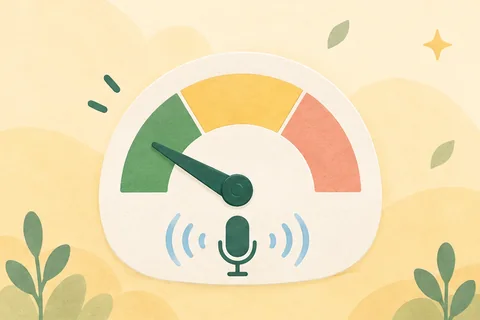 Free toolsClassroom noise meterProject live relative classroom volume with zero sign-up. Drag the threshold slider to match your room's AC hum, and run a Quiet Challenge where brief coughs or dropped pencils will not trigger false alarms—processed 100% locally with zero audio recording.Open the tool
How to Stop Kids from Triggering the Microphone on Purpose
Every elementary teacher who has projected an animated sound gauge knows the classic backfire: two students near the front desk clap sharply or bark just to watch the screen turn bright red and make the class giggle. Eliminate that reverse incentive with three small tweaks:
- Run an official 15-second "Loud Test" on Day 1: Never start with "Don't make a sound!" Instead say, "You have ten seconds to clap three times and see how high the bar jumps—go!" Once everyone sees how the meter moves and drops to dead silence on your hand signal, secret testing loses its novelty.
- Pause on spikes—never reset the whole class to zero: If four minutes of quiet reading wipes back to 0:00 because one frustrated kid groans, twenty-seven peers glare at that student—rewarding attention-seeking behavior and breeding resentment. Use a challenge timer that simply pauses for two seconds until calm returns, then picks right back up.
- Move the mic mid-room or pair with a silent stopwatch: If a front-row student fixates on testing the desk mic, rest your laptop on a side bookshelf, project a clean countdown timer for the work block, or use the stopwatch alongside routines from our 25 classroom attention getters guide to see how fast the room reaches Level 0.
12 Copy-Paste Transition Scripts Paired with Specific Positive Points
The loudest ninety seconds of the elementary day happen right after recess and right as hands-on centers wrap up. Instead of repeating "Settle down," give a three-part direction naming what hands do, where eyes look, and which voice level is active.
Print these twelve scripts for your podium clipboard—or leave them in your sub binder so guest teachers speak the exact same language:
PART 1: ENTERING FROM RECESS OR SPECIALS (30-Second Reset)
1. Doorway check: water bottles in cubbies, bodies in seats, and switches set to Level 0 so we can launch.
2. Breathe in for four, breathe out for four, pencil resting on your name tag—tables already at Level 0 earn our first nod.
3. Eyes on the top-left corner of the board: open math workbooks to page ___ and give a silent chest thumbs-up when ready.

PART 2: INDEPENDENT WORK & QUIZZES (Level 0)
4. For the next 10 minutes we are at Level 0 Silent Focus—if a problem stumps you, circle it, skip ahead, and raise a quiet hand.
5. Finished early? Stay at Level 0, double-check the back page, or pull out your independent reading book.
6. Mori the otter is curling up for an 8-minute nap on the noise meter—let's keep our room calm enough for the full timer.

PART 3: PARTNER CHECK & TURN-AND-TALK (Level 1)
7. Switch to Level 1 Partner Whisper: angle knees toward your shoulder partner so only the two of you hear your strategy.
8. You have 2 minutes at Level 1 to read your paragraph aloud to your partner; when the chime rings, pivot forward to Level 0.
9. Need a ruler or colored pencil? Ask your neighbor in a Level 1 whisper and return it with a silent nod—nothing tossed across aisles.

PART 4: STEM LABS, ART & 4-PERSON PODS (Level 2)
10. Next 12 minutes are Level 2 Table Talk: Materials Captains grab trays, and voices stay inside your four desks.
11. Two taps on the desk bell means scissors and glue sticks go in the center basket, hands in laps, eyes on the screen.
12. One-minute clean-up countdown starts now—whichever pod clears scraps and hits Level 0 first picks our afternoon helper role!
Within three seconds of giving a cue, name the first group meeting the mark—"Pod 3 capped every marker and hit Level 0 before the chime faded, +1 teamwork point." To connect daily voice-level wins into semester-long motivation without treasure-box clutter, pair your meter with the individual companion loop in our desk pets and virtual class pets guide so calm focus directly grows each child's own woodland pet.
FeaturesQuick points & projector viewSelect a student, table pod, or the whole class on the projector and tap "Held Level 2 Table Voice" or "30-Second Recess Reset" to award points in two taps—with instant undo anytime.Learn moreFAQ
How do I keep classroom noise down during centers without losing my voice?
Teach a concrete 0-to-3 voice level scale during the first week, state the expected number before releasing students to centers, and display a visual classroom noise monitor on the board. Reinforce tables that hold the target level within the first minute rather than speaking over rising chatter.
Why does shouting 'Quiet!' make an elementary classroom even louder?
Acoustics researchers call this the Lombard effect: humans instinctively raise vocal pitch and volume whenever ambient noise increases. When a teacher projects over six talking tables, students subconsciously match that higher baseline within seconds. Non-verbal signals and visual gauges break that feedback loop.
Do online classroom noise monitors record student conversations?
Privacy-safe browser meters—including ClassMori's Classroom Noise Meter—read only live decibel amplitude inside your browser's temporary memory to move the gauge. Zero audio is recorded, saved, or transmitted to any server, and you can revoke microphone permission anytime from the address bar.
How do I stop that one student from clapping or yelling at the noise meter?
Avoid physics-toy animations that bounce wildly when kids scream, since chaotic visuals reward loud spikes. Give the whole class a 15-second 'mic test' on Day 1 to get curiosity out of their system, then use a quiet challenge that briefly pauses—never resets to zero—on a cough or single noise.
What if my classroom desktop computer does not have a built-in microphone?
Plug in any inexpensive USB webcam or lapel mic at your desk, or open the browser noise meter on a teacher laptop or iPad set near the center of the room so it samples balanced table volume rather than just the front row.
Sources
- Does noise affect learning? A short review on noise effects on cognitive performance in childrenFrontiers in Psychology2013
- Acoustical barriers in classrooms: the impact of noise on performance in the classroomBritish Educational Research Journal2006
- Classroom AcousticsAmerican Speech-Language-Hearing Association2023
- Environmental Noise Guidelines for the European RegionWorld Health Organization2018